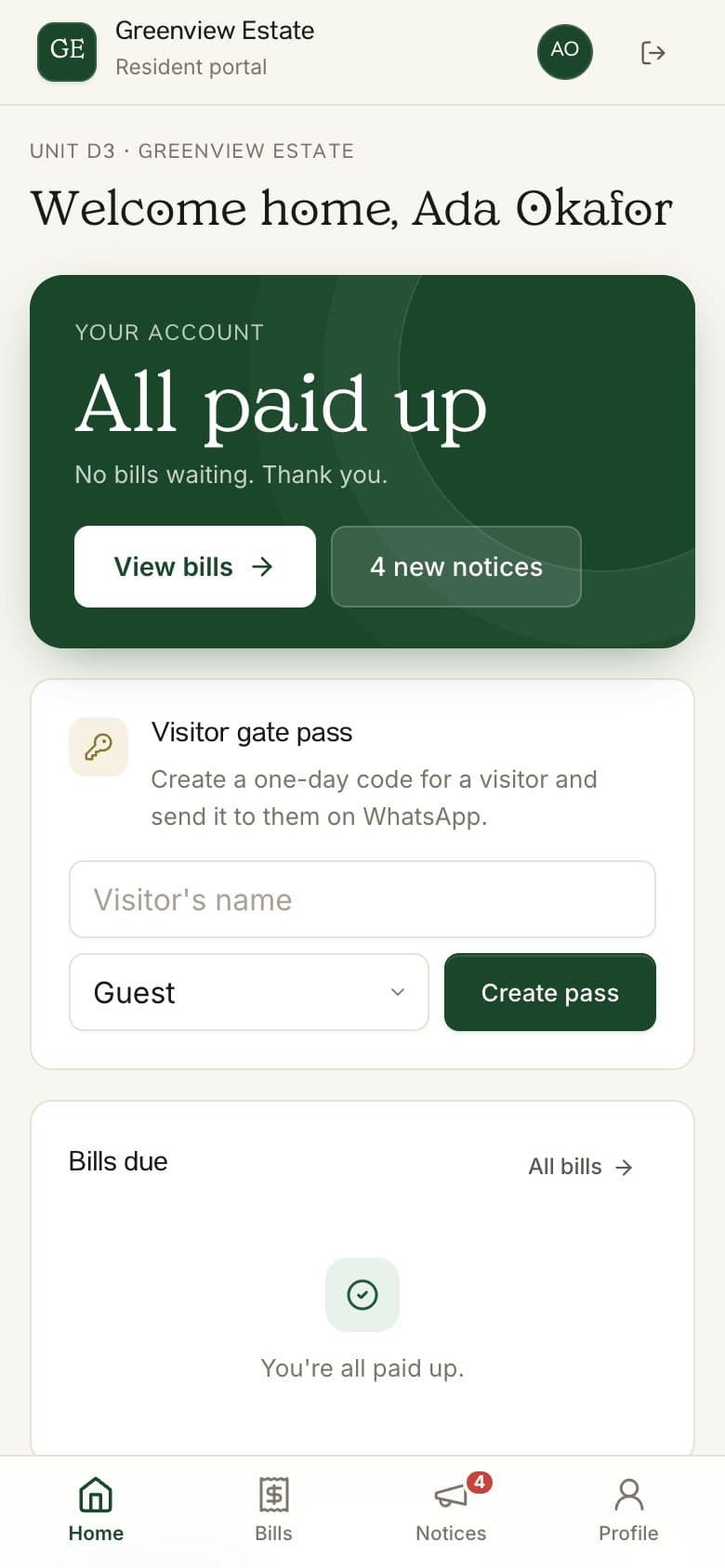
Your estate uses BreeUp for bills, notices and visitor passes. There's no app to download: it works in your phone's browser, and you sign in with your phone number and a 4-digit PIN. Setting up takes about two minutes.
What you need
- Your estate's sign-in link. Your estate admin shares it, usually on WhatsApp.
- The temporary 4-digit PIN your estate admin gave you. It's only for your first sign-in.
- The phone number your estate has on record for you.
Set up your account
- Open your estate's sign-in link
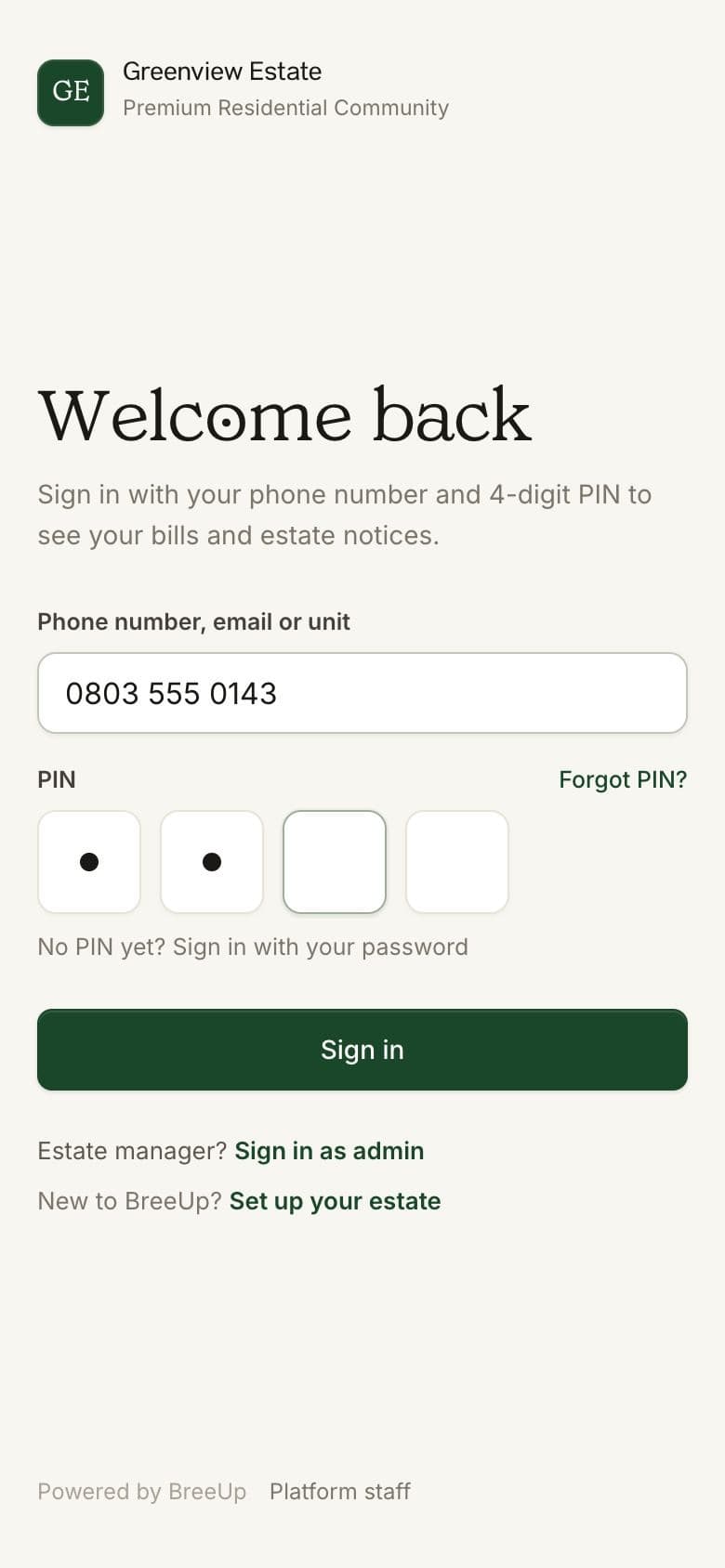
Tap the link your estate admin sent. You'll see your estate's name at the top of the page.
- Enter your phone number
Type it any way you like: 0803 123 4567 and +234 803 123 4567 both work. You can use your email address instead if your estate has it.
- Enter your temporary PIN
Type the 4 digits your admin gave you. You're signed in as soon as you type the last digit, so there's no button to press.
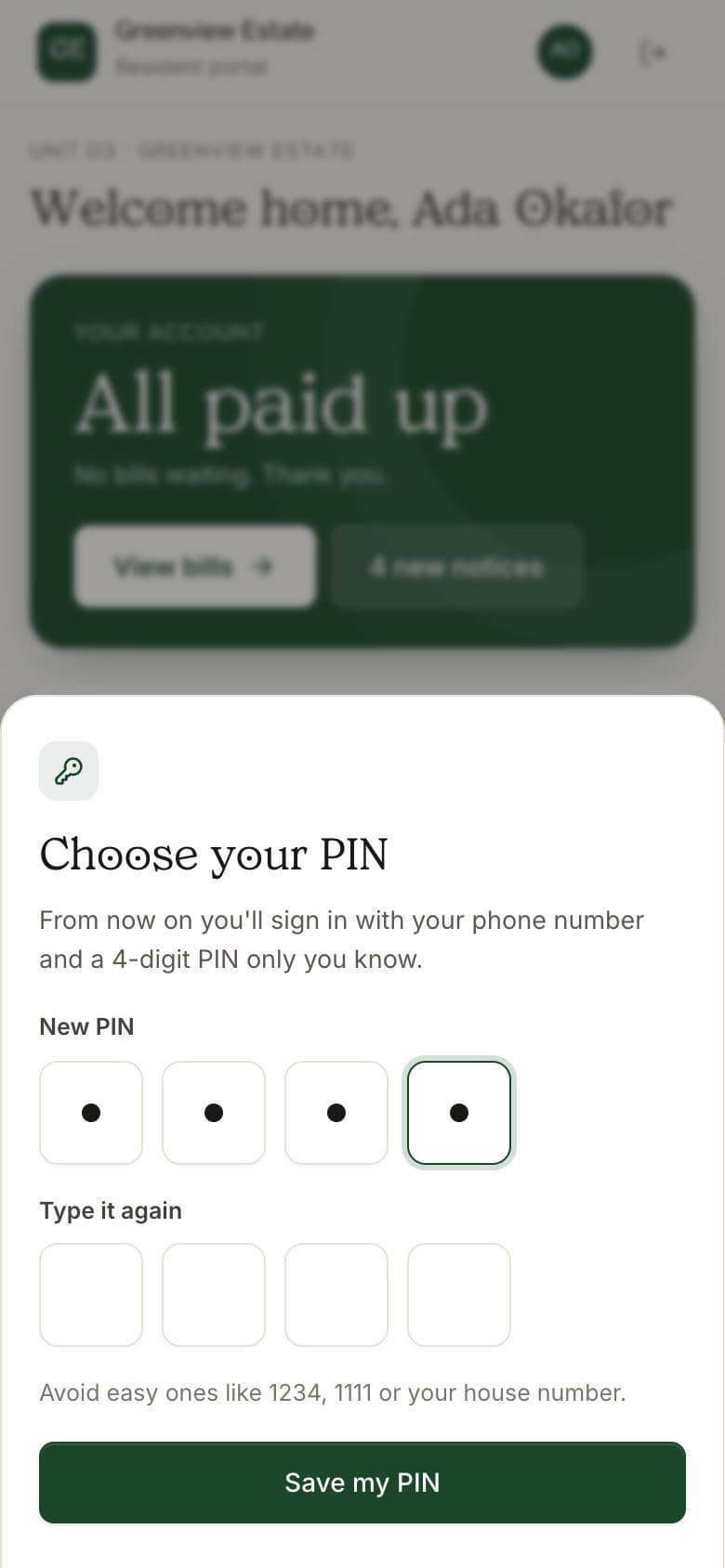
- Choose your own PIN
Pick 4 digits only you know and type them twice. Easy ones like 1234, 1111 or 1212 aren't allowed, and it's best not to use your house number either.
- You're in
Your Home page shows whether you owe anything, your latest notices and the visitor pass card.
What you can do
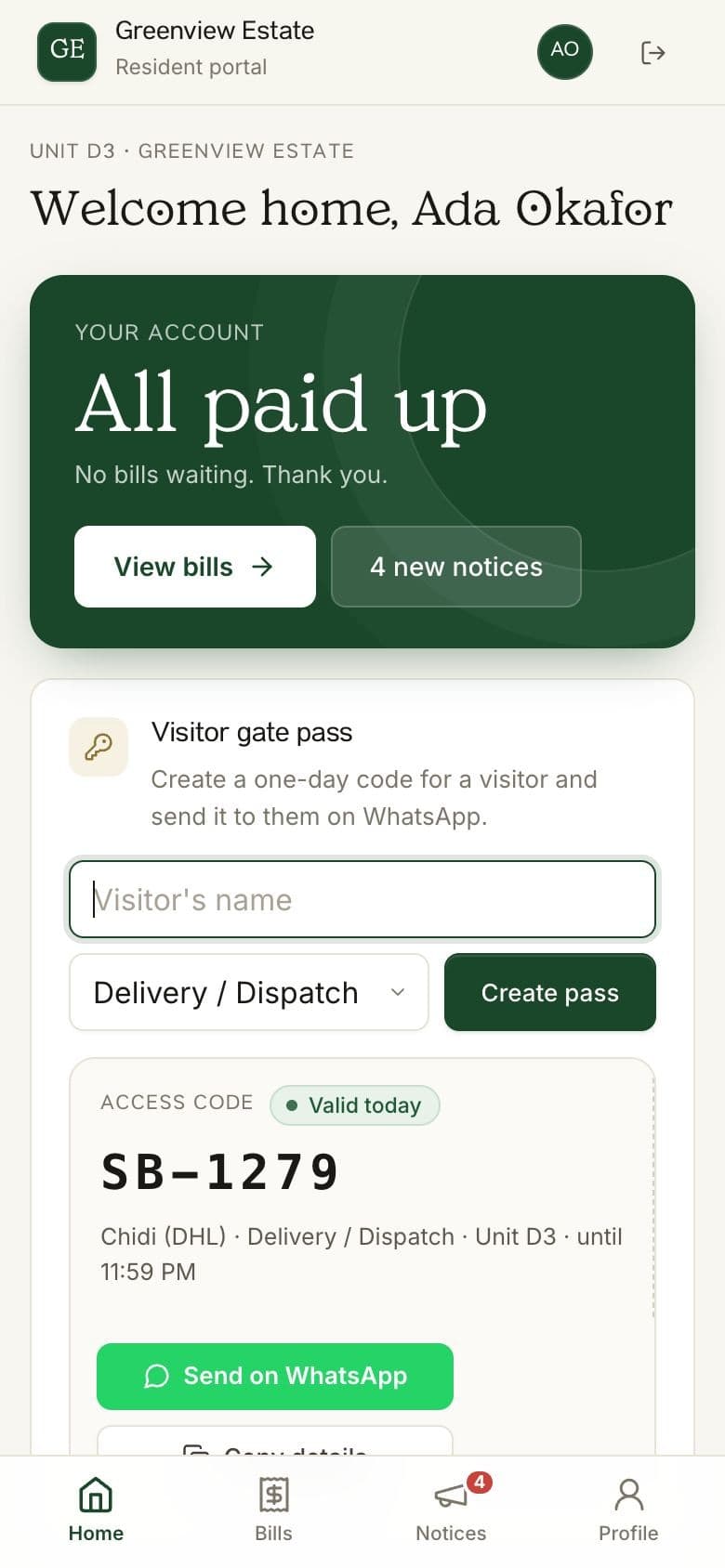
- Send visitor passes: type your visitor's name, choose Guest, Delivery, Cab or Artisan, and send the code on WhatsApp. The guard checks the code at the gate.
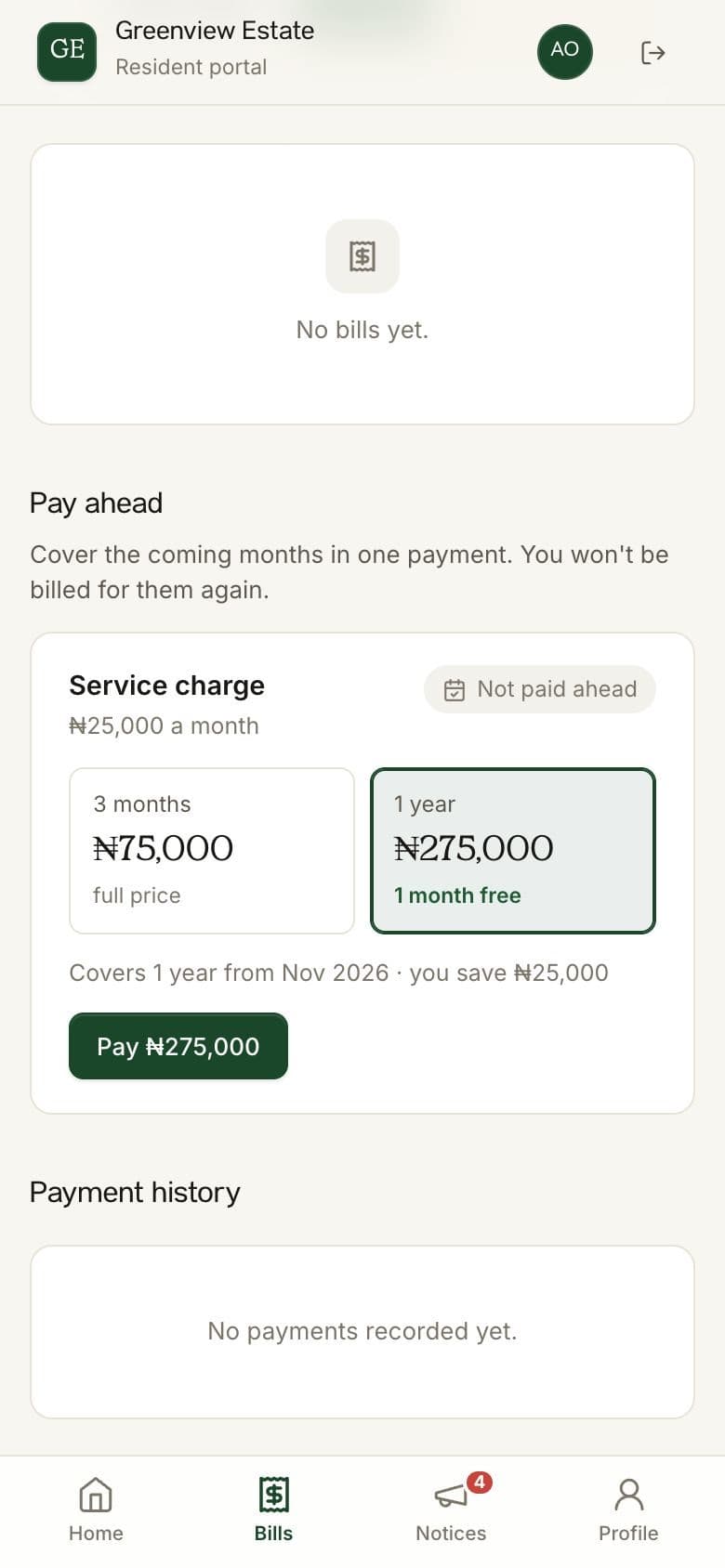
- See and pay your bills: Bills lists what you owe. Tap Pay to pay online by bank transfer or card; you'll see a small service and payment fee and the total before you pay, and your estate gets the full bill. You can also transfer to your estate's account yourself: put your unit reference in the narration so the payment is matched to your home automatically.
- Pay ahead: if your estate allows it, cover the next few months, or the whole year, in one payment. Some estates give a discount, like 1 month free for paying a year.
- Read notices: messages from your estate committee or manager, in one place instead of a busy WhatsApp group.
Change or reset your PIN
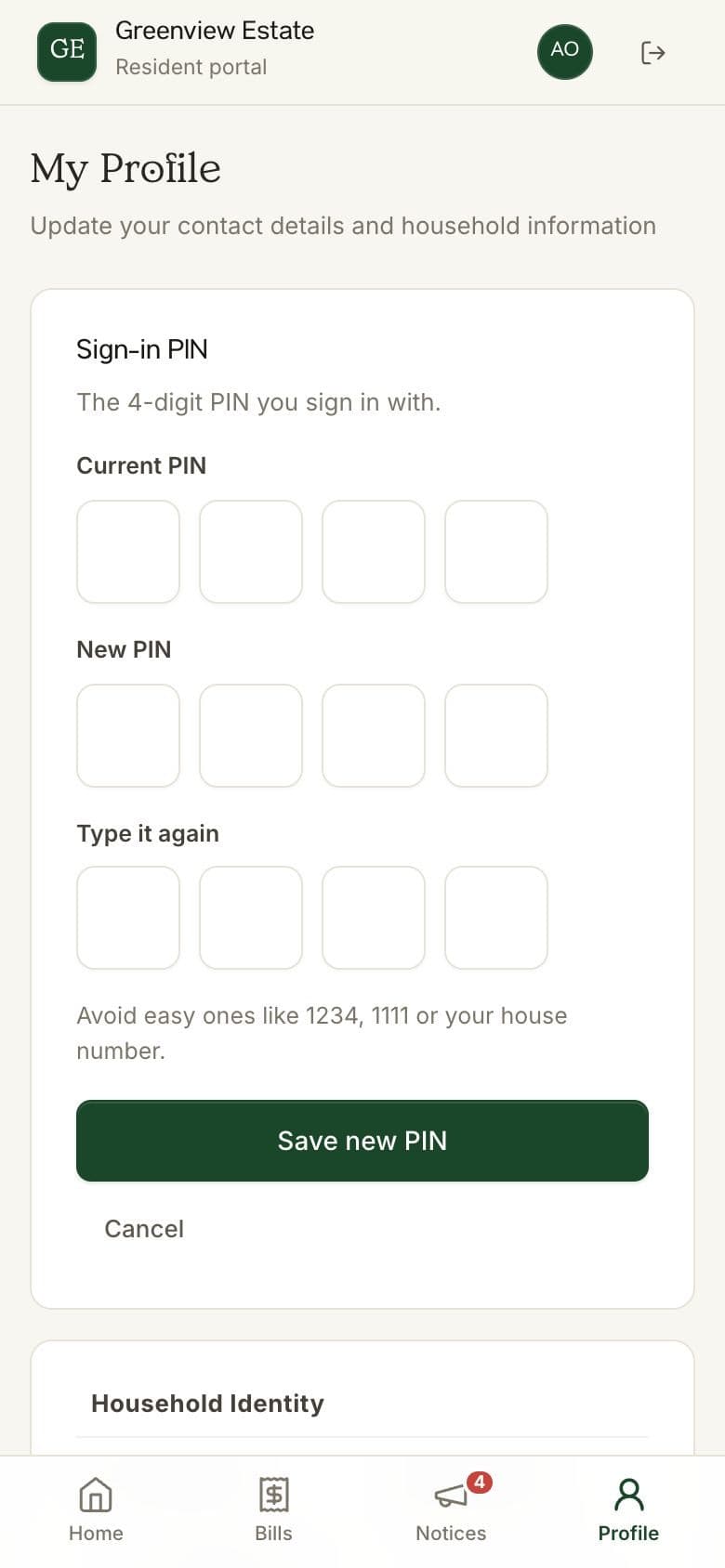
- To change it
Go to Profile, tap Change PIN, enter your current PIN, then your new one twice.
- If you forget it
On the sign-in page, tap Forgot PIN? and we'll email you a code to set a new one. No email on your account? Ask your estate admin to reset your PIN; they'll give you a new temporary one.
How BreeUp helps
The BreeUp resident portal works in any phone browser. Residents sign in with their phone number and a 4-digit PIN to see their bills, pay, download receipts and read notices.
If the estate has the visitor passes add-on, residents can also create visitor passes and send the code on WhatsApp.
Is your estate not on BreeUp yet? Suggest it to your committee.