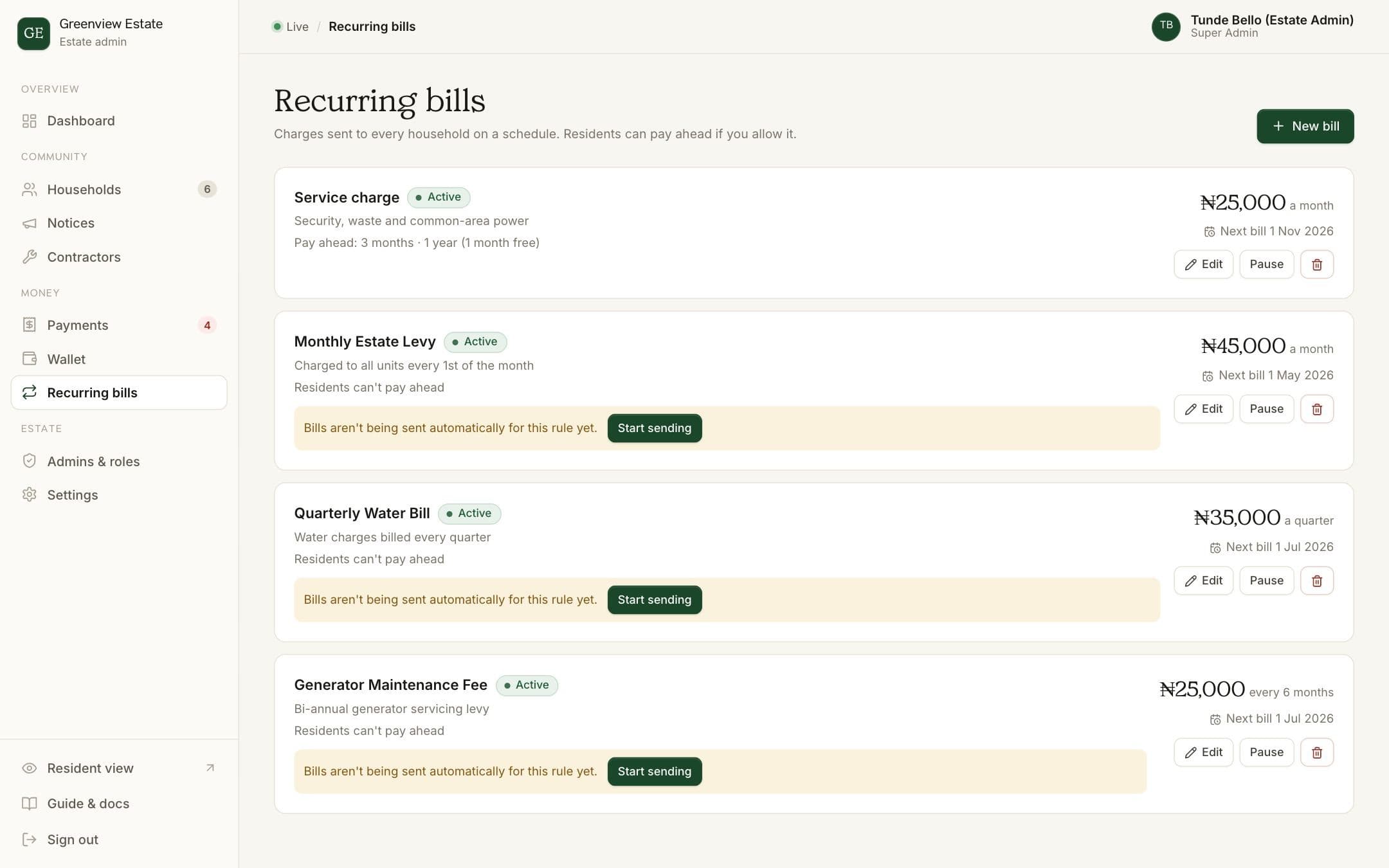
If your estate charges the same service charge or levy every month, quarter or year, set it up once as a recurring bill. BreeUp sends every household their bill when each period starts, so nobody has to create invoices by hand.
Set up a recurring bill
- Open Recurring bills
Choose Recurring bills in the admin sidebar. You'll see each bill, its amount and when the next one goes out.
- Add a bill
Click New bill.
- Name it
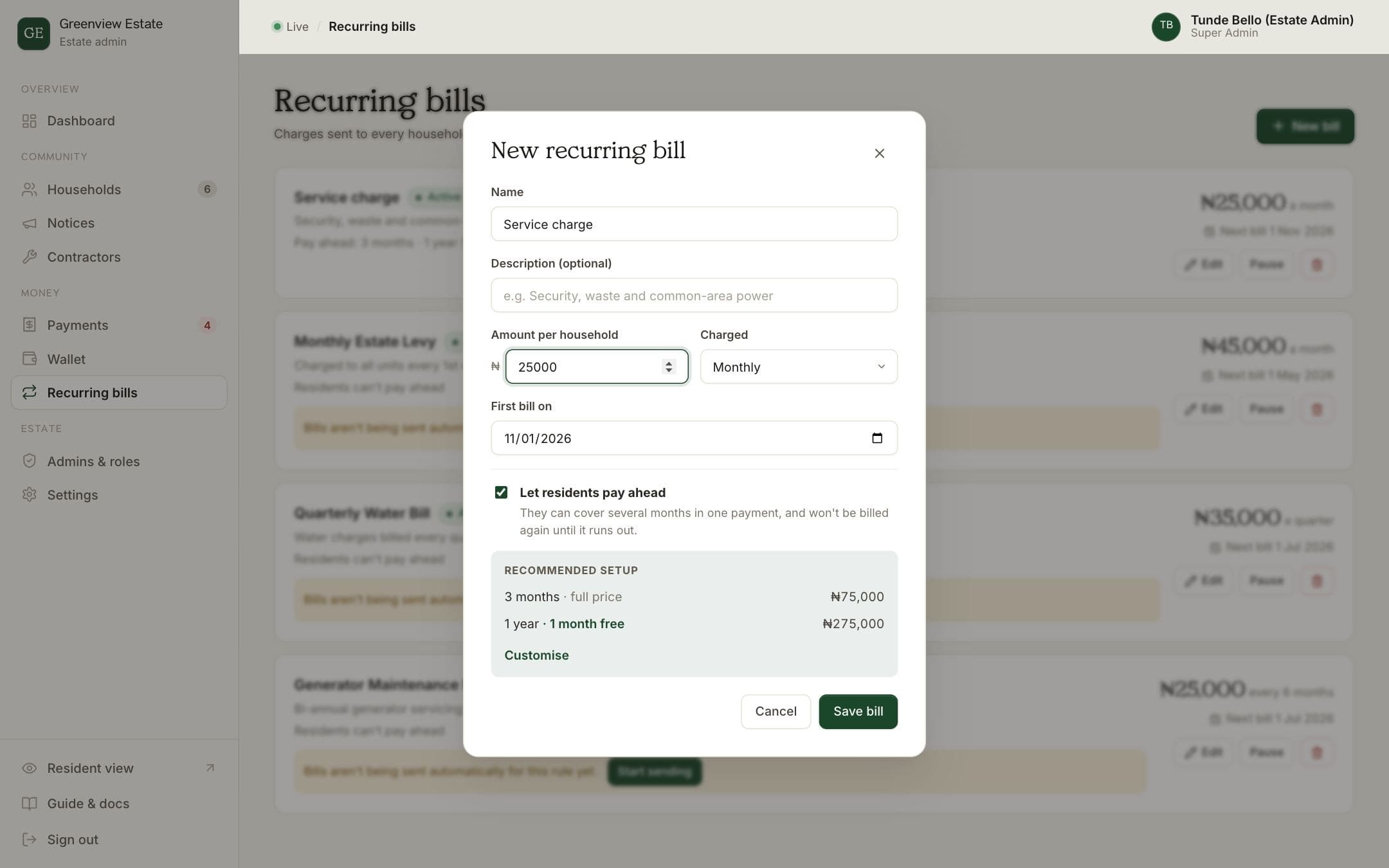
Use a name residents will recognise, such as "Service charge", and add a short description of what it covers if you like.
- Set the amount and how often
Enter the amount per household, then choose how often it's charged: Once (for a one-off levy), Monthly, Quarterly, Bi-annual or Annual. Pick the date of the first bill.
- Decide on paying ahead
"Let residents pay ahead" is on, with a recommended setup: 3 months at full price, or a year with 1 month free. Keep it, untick it, or click Customise to choose your own lengths and discounts.
- Save
Click Save bill. Every household is billed on the first bill date, then again every period.
How paying ahead works
- Residents see the options on their Bills page, with the price and what they save.
- Choosing one creates a bill for those months, which they pay the usual way: online from the Bills page, or a transfer to the estate's account with their unit reference.
- Once it's paid, those months are covered and BreeUp doesn't bill that household for them again. Their Bills page shows "Paid up to" the last month.
- If they choose a plan but don't pay before those months start, it's cancelled and the normal bill goes out instead.
Changing a bill
Click Edit to change the amount, schedule or pay-ahead options. Pause stops a bill for a while, for example during a levy holiday agreed at an AGM, and Resume starts it again. The bin icon removes it. Bills already sent stay in your Payments ledger either way.
How BreeUp helps
Set the levy once in BreeUp and the bills are created for every household on schedule. Each payment gets a receipt, and the who-owes list stays current without anyone adding up a spreadsheet.
Residents who want to can pay months ahead, and part payments are recorded against the bill. Copy-ready WhatsApp reminders are written for each household when someone falls behind.
Set up your estate, or work out the right amount first with the service charge calculator.