Paying service charge used to mean cash at the estate office, or a transfer followed by a screenshot to the treasurer and a long wait for a receipt. Most estates now take payment online. Whichever way yours works, the goal is the same: the money reaches the estate's account, it's recorded against your home, and you have proof.
Before you pay, check three things
- The amount and the period it covers. Service charge, security levy and development levy are often billed separately, so make sure you know which one you're paying.
- That the account belongs to the estate. Use the account details from your estate's portal or an official notice, not a message forwarded in a group.
- Your reference. Most estates ask you to quote your unit, such as B12 or GV-A12, so the treasurer can tell the payment is yours.
If your estate uses BreeUp
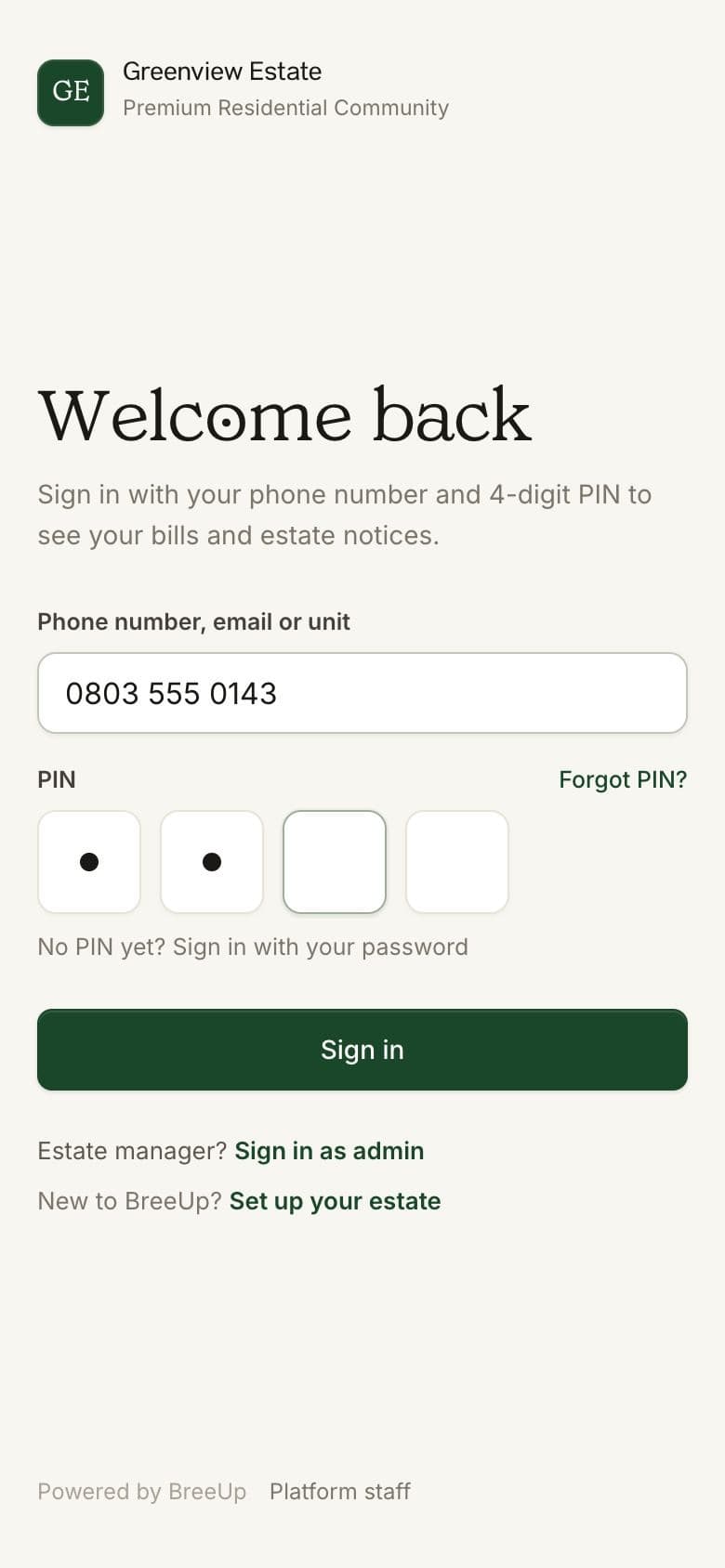
- Sign in to your portal
Open your estate's sign-in link on your phone and sign in with your phone number and 4-digit PIN. First time? Follow our guide, How to set up your resident account.
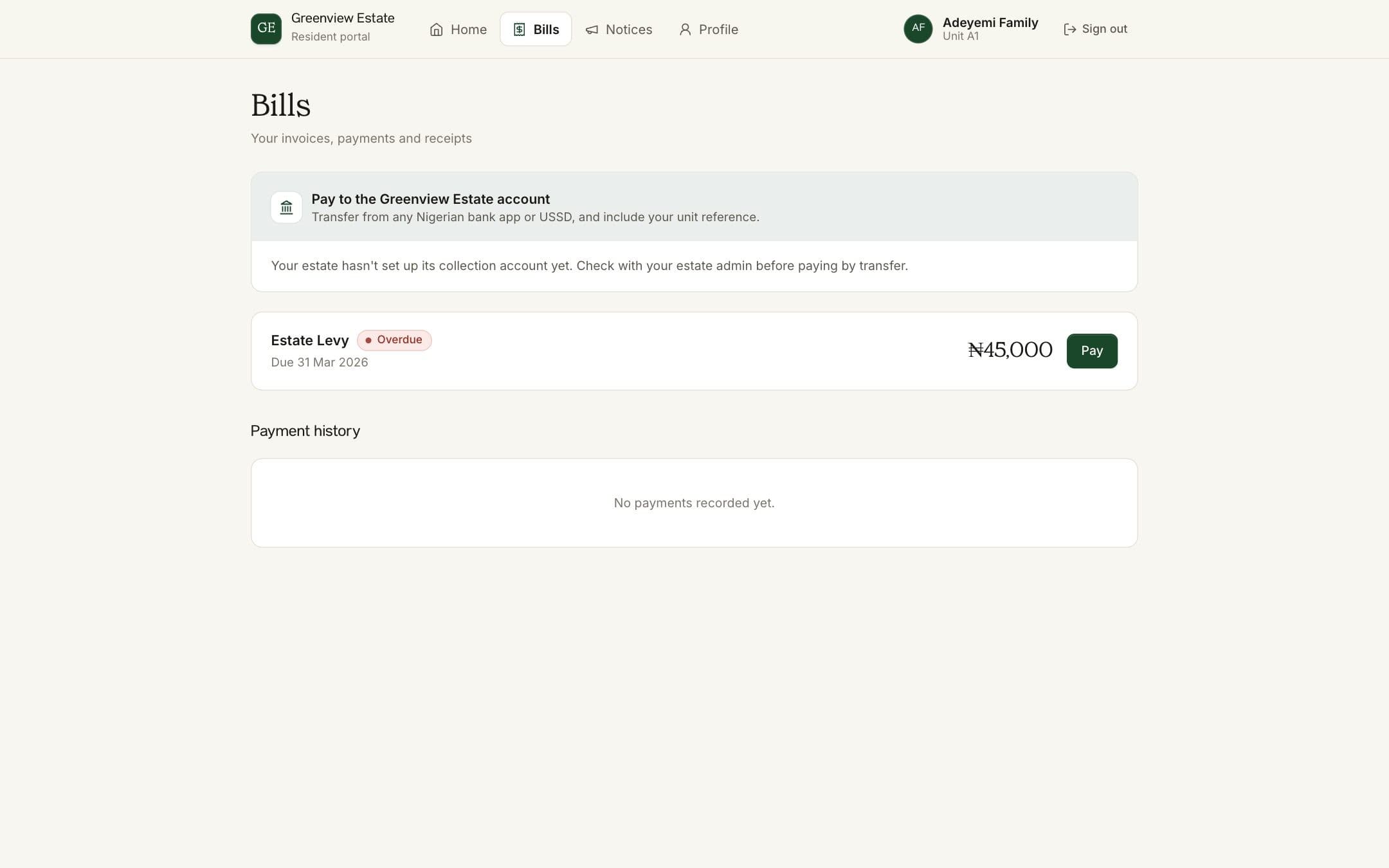
- Open Bills
Bills lists everything you owe, what each bill is for and when it's due.
- Pay online
Tap Pay on a bill and choose bank transfer or card. You'll see the service and payment fees and the total before you confirm. Your estate receives the full amount it billed.
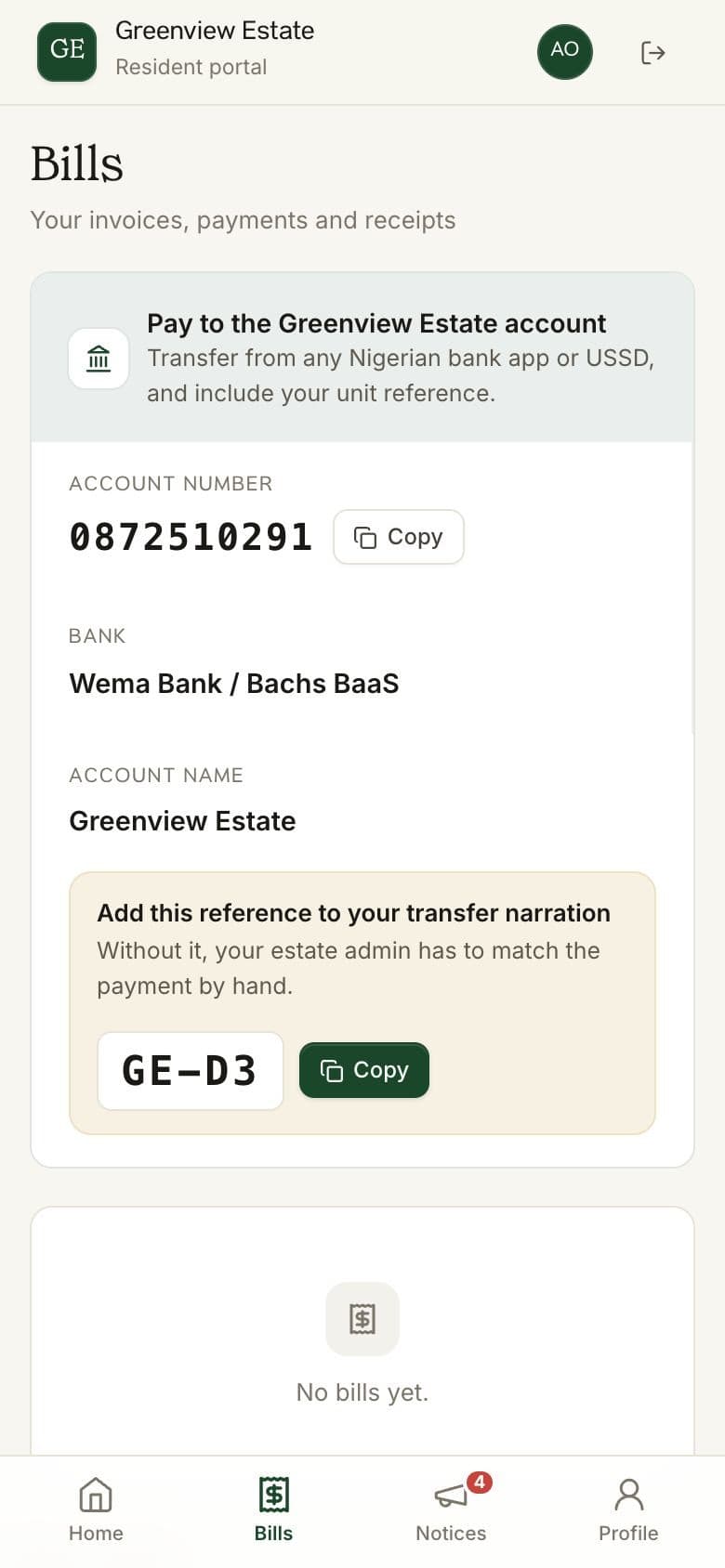
- Or transfer from your bank app
Prefer your own bank app or USSD? Bills shows the estate's account details and your payment reference. Put the reference in the narration and the payment is matched to your home automatically, usually within minutes.
- Keep your receipt
Once the payment is recorded, the bill shows as paid and the receipt is saved in your payment history, ready to download whenever you need it.
If your estate doesn't have an online portal yet
- Transfer to the estate's official account and write your unit and the period in the narration, for example "B12 SC OCT 2026".
- Send proof of payment to the treasurer or estate office in a private message, not in the residents' group. Your bank details don't need to be seen by 300 neighbours.
- Ask for a written receipt and keep it with your tenancy or ownership papers.
- Keep your own list of what you've paid and when. It settles most disputes in seconds.

Paid, but it still shows as owing?
- Give it a little time
Transfers usually show within minutes, but a busy banking day can delay them. Wait a few hours before you worry.
- Check your narration
If you left out your reference or typed it differently, the estate has to match the payment by hand.
- Contact your estate office
Send the date, amount and transaction reference from your bank receipt. That's everything they need to find it.
- Don't pay again
Paying twice to make a bill go away creates a second problem. Wait until the first payment is found.
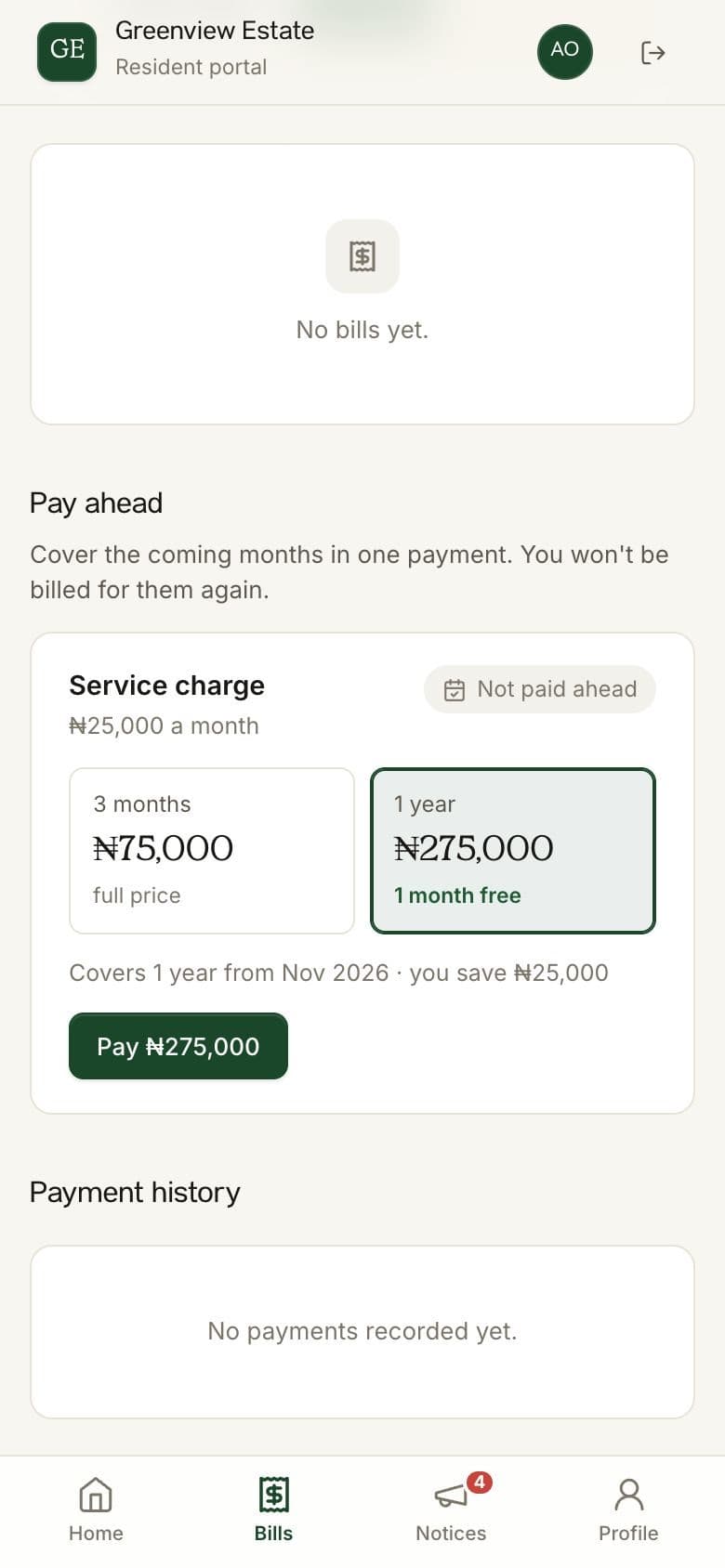
Paying a year ahead? Many estates now let you cover several months in one payment, sometimes with a discount. Look for the pay-ahead option on your Bills page, or ask your treasurer.
How BreeUp helps
On BreeUp, residents pay by card or by bank transfer to the estate's collection account, adding their unit's payment reference to the narration. A transfer from a banking app or the bank's own USSD works the same way.
Every payment gets a receipt, and residents can pay months ahead if they want to clear the year in one go.