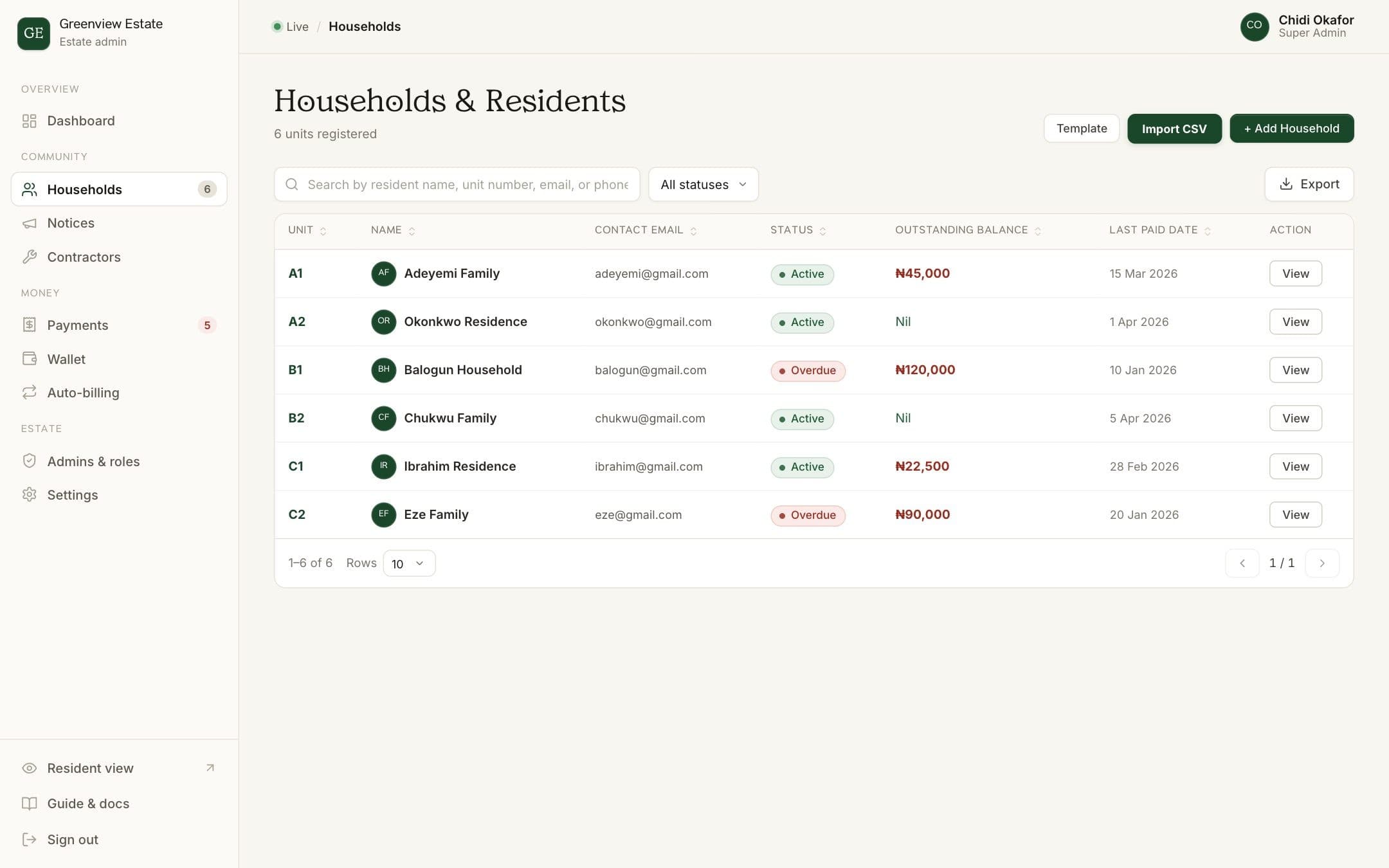
Most estates already keep their residents in a spreadsheet. You don't need to retype it: BreeUp reads a CSV file and recognises the column names estates commonly use.
Before you start
- You'll need an admin account with full access to Households.
- Export your spreadsheet as CSV (in Excel or Google Sheets: File, then Download or Save As, then CSV).
- Each row needs at least a unit and a resident name. Phone and email are strongly recommended so residents can sign in and receive reminders.
Steps
- Open Households
In your admin dashboard, choose Households in the sidebar. You'll see every unit, its status and outstanding balance.
- Download the template (optional)
Click Template to download a sample CSV with the columns BreeUp expects. You can paste your data into it, or skip this step and use your own file.
- Choose your file
Click Import CSV and pick your file. Common column names are recognised automatically: for example Unit, Plot or Block for the unit; Resident Name, or separate First and Last name columns; Phone, Mobile or WhatsApp; and Email.
- Check the preview
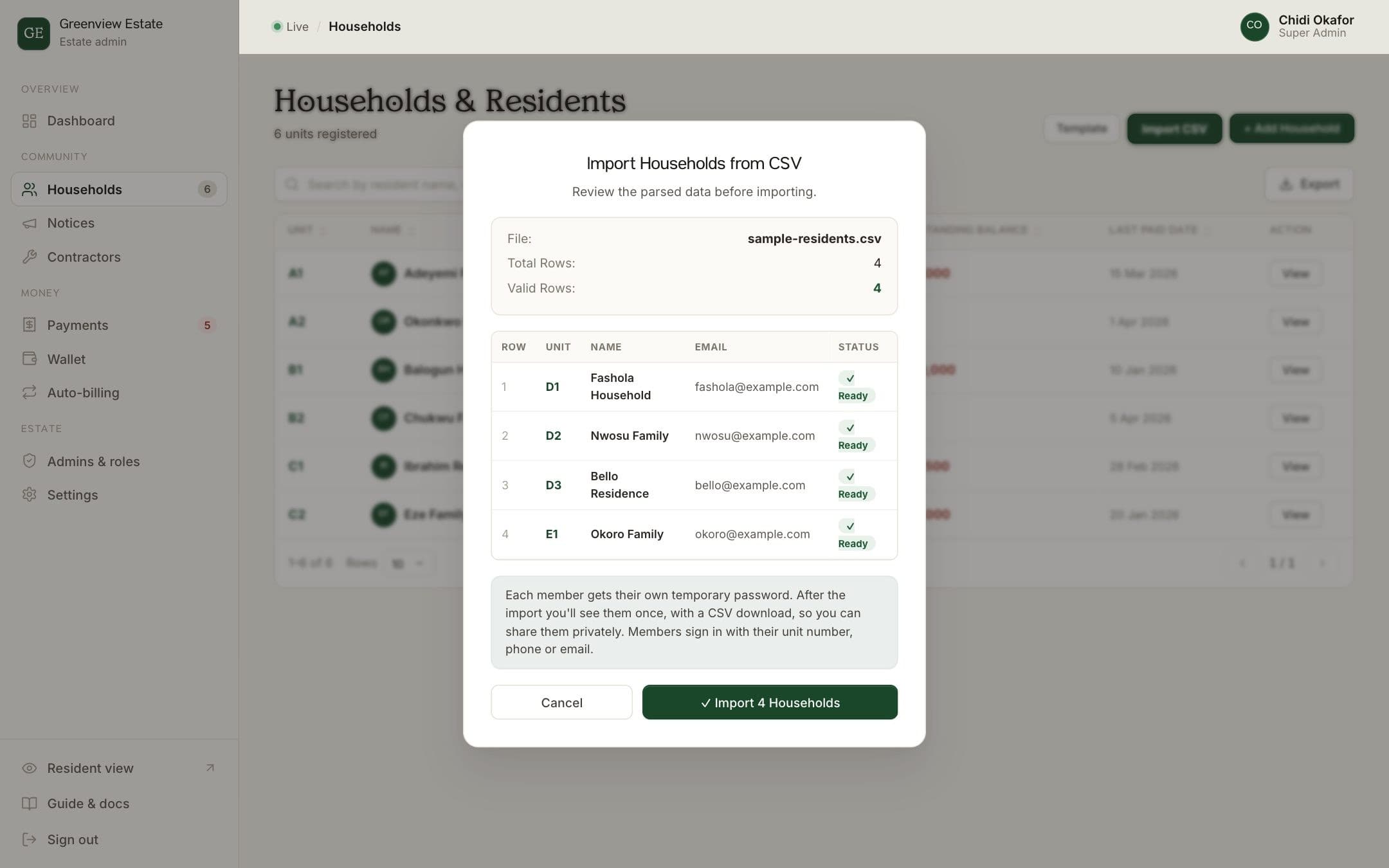
BreeUp shows how many rows it found, how many are valid and which rows have problems, with the reason for each. Fix any errors in your spreadsheet and choose the file again if you need to.
- Import
Click Import to add the valid households. They appear in your Households list straight away, and you'll see each household's temporary 4-digit PIN once, with a CSV download.
After importing
Every household gets its own temporary 4-digit PIN. Download the list when the import finishes, because it's only shown once, and send each household its PIN privately, never in a group chat. Residents sign in at your estate's sign-in link with their phone number and that PIN, then choose their own. Share our guide, How to set up your resident account, along with it.
How BreeUp helps
BreeUp imports your existing spreadsheet of houses and households, and keeps landlords separate from the people living in each home, so an owner with several units is linked to all of them.
After the import, each member gets a temporary 4-digit PIN, shown once with a CSV download, so you can send everyone their sign-in details on day one.