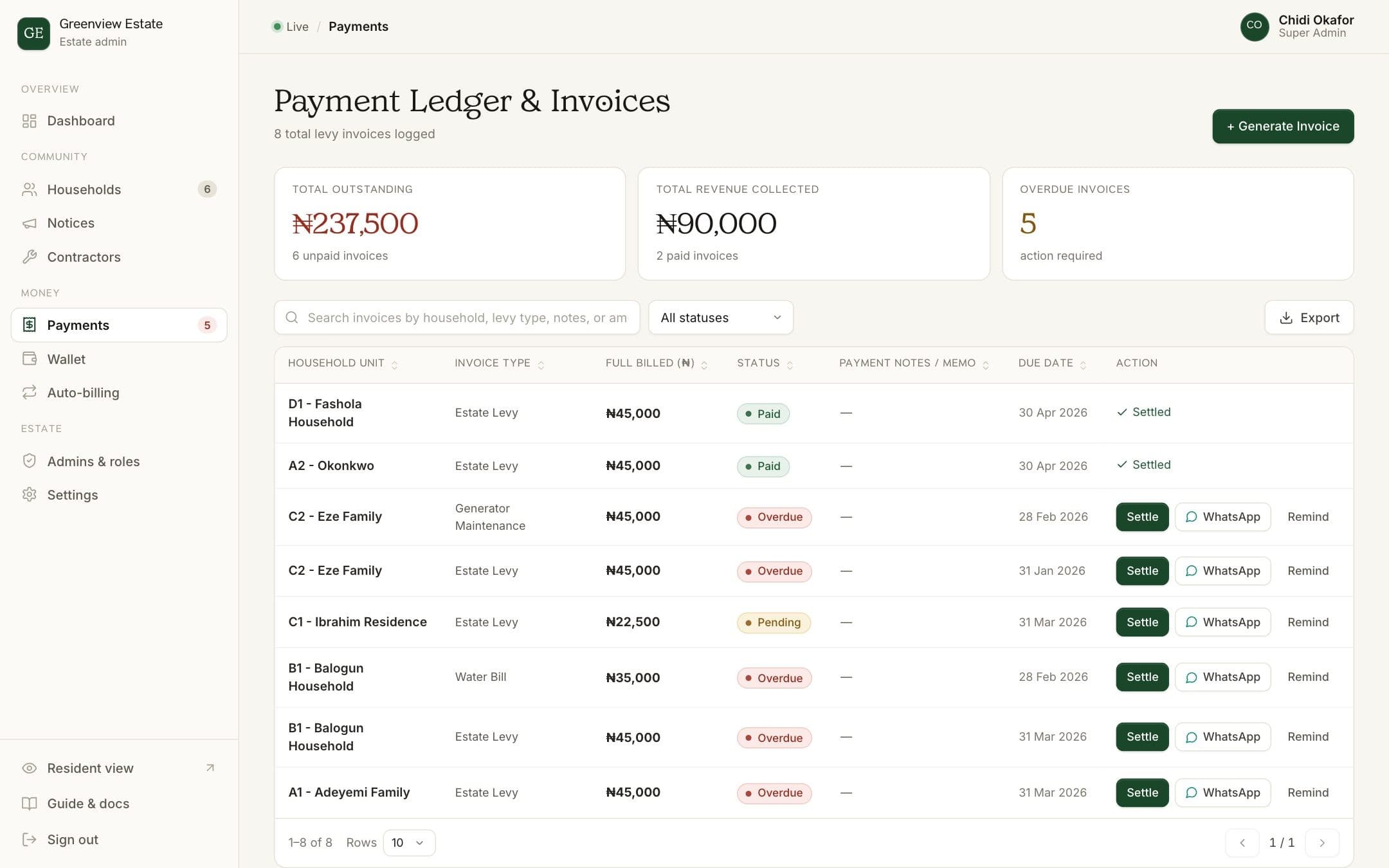
Invoices are how BreeUp knows what each household owes. Once a bill is created, the resident sees it in their portal and you can track it until it's settled.
Create an invoice
- Open Payments
Choose Payments in the admin sidebar. The ledger lists every invoice with its household, amount, status and due date.
- Start a new invoice
Click Generate Invoice.
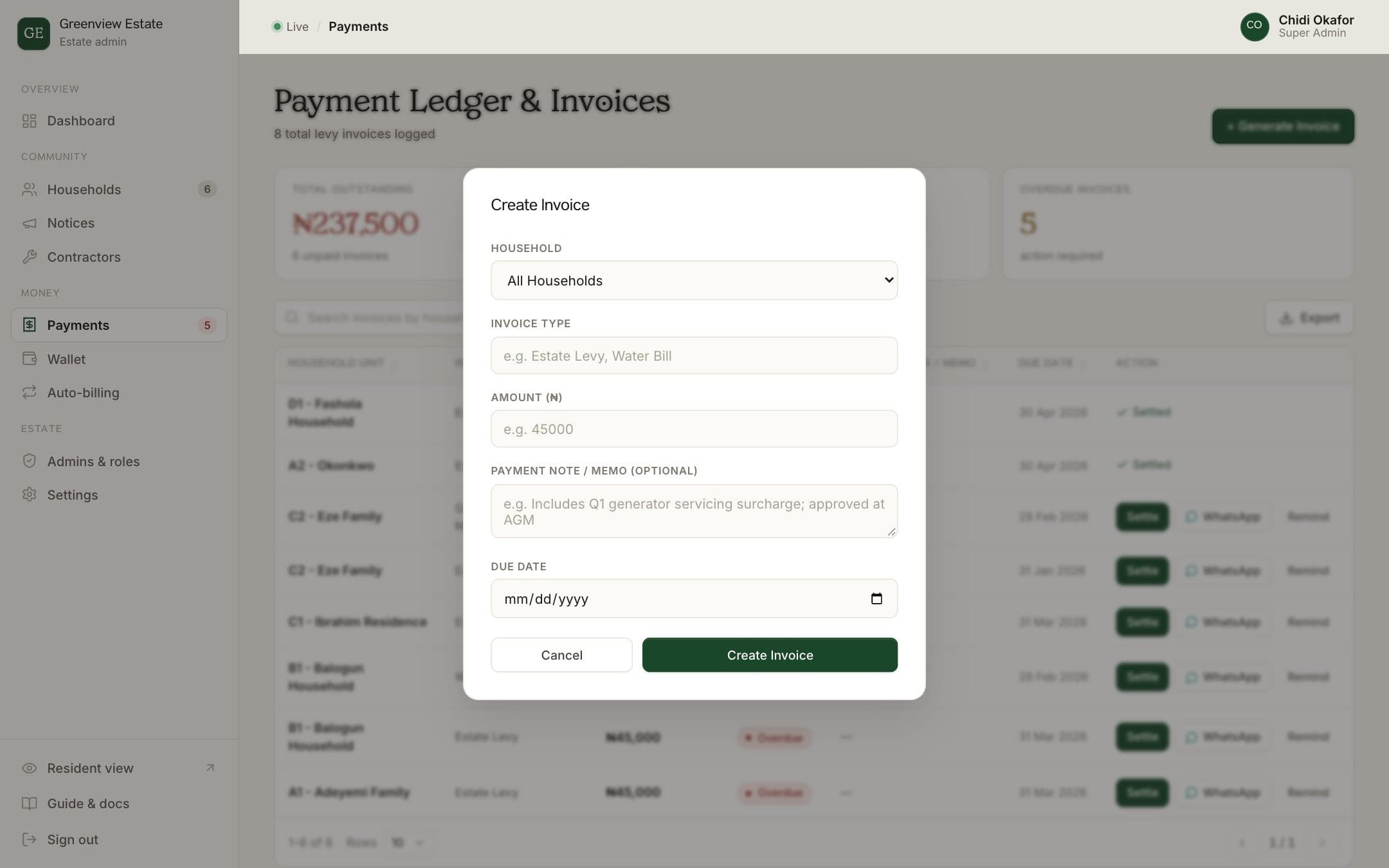
- Choose who it's for
Pick All Households to bill the whole estate, or select a single unit.
- Fill in the details
Enter the invoice type (for example Estate Levy or Water Bill), the amount in naira and a due date. Add a note if residents need context, such as "Approved at the March AGM".
- Create it
Click Create Invoice. It appears in the ledger and in the resident's portal.
Record a payment
When a resident pays outside the platform, for example in cash or by direct transfer, click Settle on their invoice. Choose how they paid (bank transfer, cash, POS, cheque or card), enter the amount and add a reference such as the bank transaction number. Partial payments are supported, and the remaining balance stays on the invoice.
Send a reminder
Each unpaid invoice has a WhatsApp button. It opens WhatsApp with a ready-written reminder to that household, including the amount and what it's for, so you can check it before sending.
How BreeUp helps
BreeUp keeps a who-owes list for the whole estate and writes a WhatsApp reminder for each household with their balance, ready to copy and send. Reminders go to the person who owes, not the whole group.
Residents pay by bank transfer or card and get a receipt each time. If you'd rather not send reminders by hand, automatic WhatsApp, SMS and email reminders are available as add-ons.
Set up your estate, or ask us about add-ons.