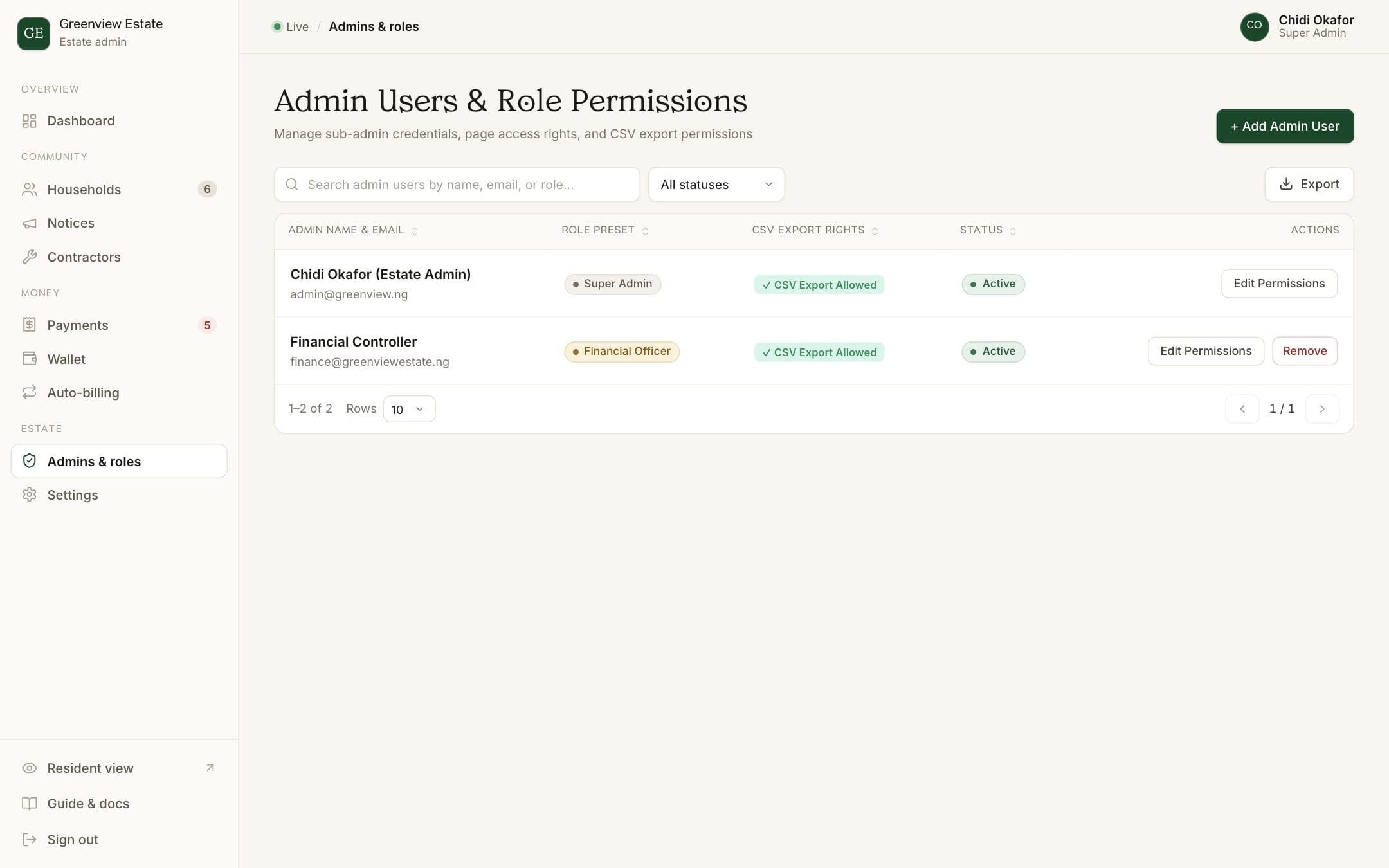
Everyone who helps run the estate should have their own login rather than sharing one. That way each person sees only what they need, and you can always tell who did what.
Steps
- Open Admins & roles
Choose Admins & roles in the admin sidebar to see everyone with dashboard access.
- Add a person
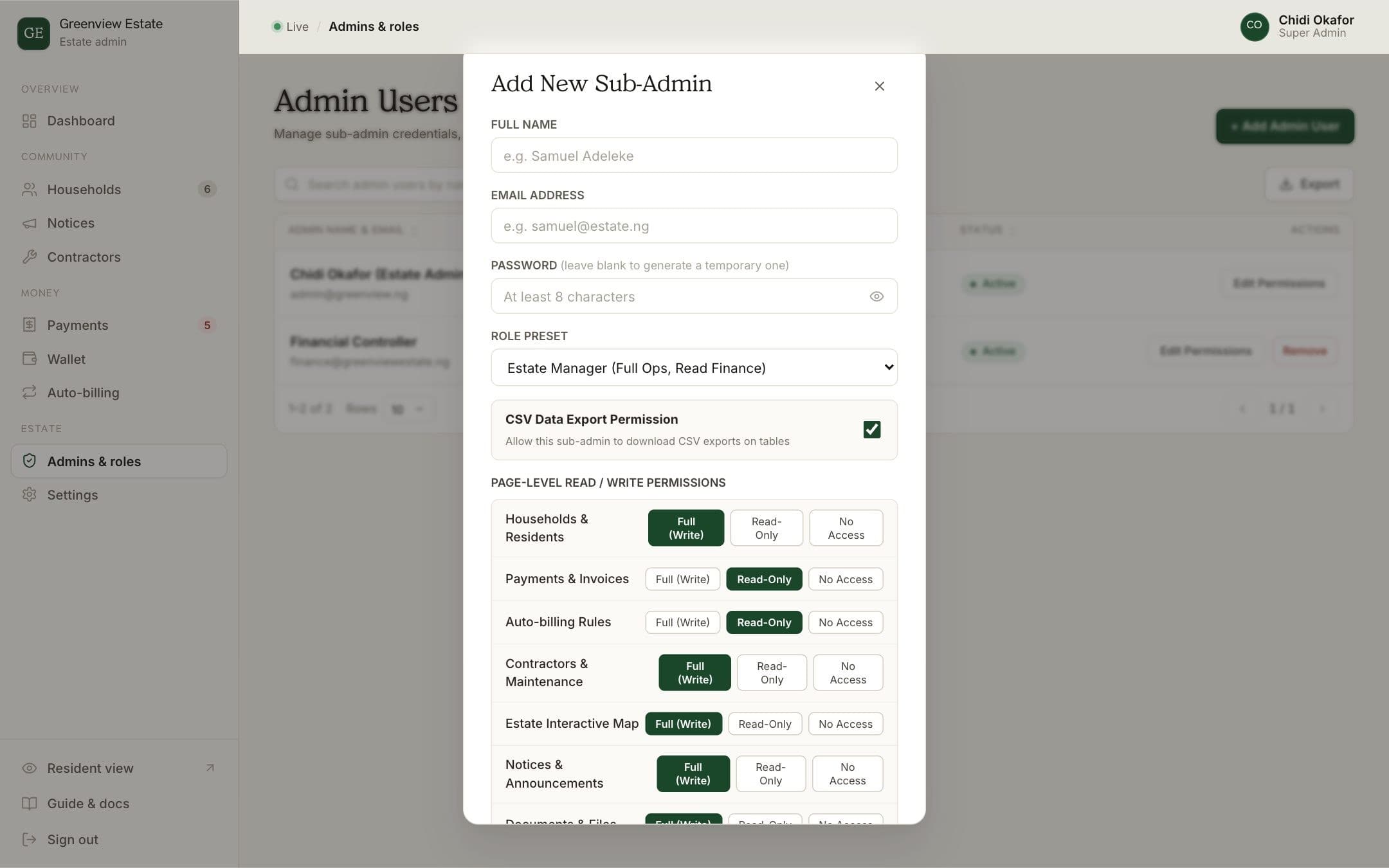
Click Add Admin User and enter their name and email address. Set a password, or leave it blank and BreeUp creates a temporary one, shown once for you to share privately.
- Pick a role
Start from a preset: Estate Manager (full operations, read-only finance), Financial Officer (full payments and recurring bills), Security Officer (map and residents, read-only) or Super Admin (everything).
- Fine-tune access (optional)
Choose Custom Permissions Matrix to set each area (households, payments, recurring bills, contractors, notices, settings and more) to full access, read-only or no access.
- Decide on exports
Tick CSV Data Export Permission only for people who need to download resident or payment data.
- Save
Click Save Admin Permissions. They can now sign in with their email.
How BreeUp helps
In BreeUp every helper gets their own login. Start from a preset (Super Admin, Estate Manager, Financial Officer or Security Officer) or set each area yourself, so a volunteer handling notices doesn't need access to the money.
When the EXCO changes, add the new team and remove the old logins. The records stay with the estate.